BPO Attendance & Shrinkage Report – Excel Template
BPO operations, WFM aur MIS reporting ke liye ek ready-to-use Excel template jo attendance aur shrinkage reporting ko structured aur easy banata hai.
Agar aap manually attendance, roster aur login-hours data ko combine karke reports banate hain, ye template aapko ek organized reporting framework provide karta hai.
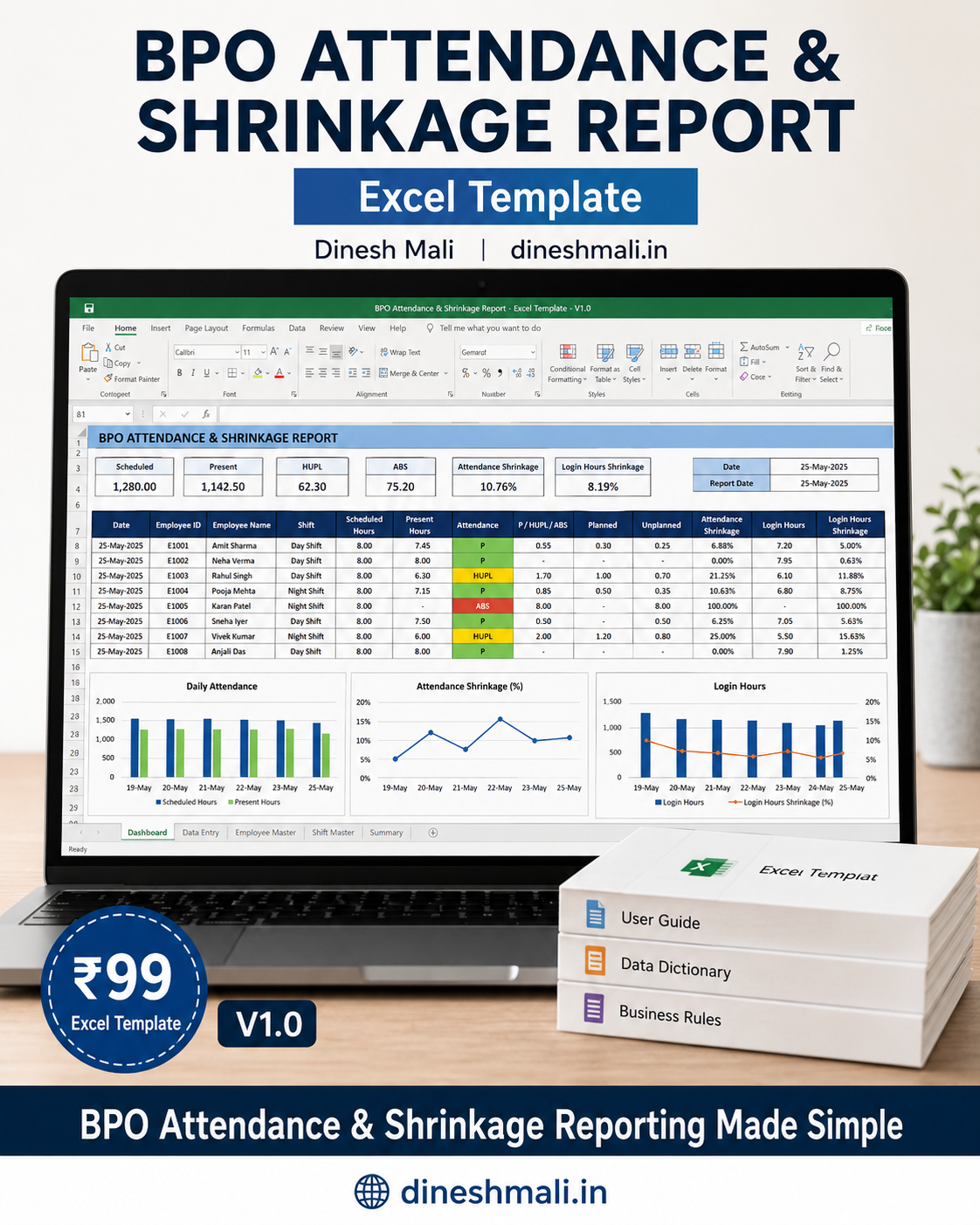
📊 What You Can Track
Attendance
- Scheduled Employees
- Present
- HUPL
- ABS
- WO
- PL
- CL
- Holiday
Login Hours
- Scheduled Hours
- Actual / Adjusted Login Hours
- Net Staff Time
- Downtime
- Breaks
Shrinkage
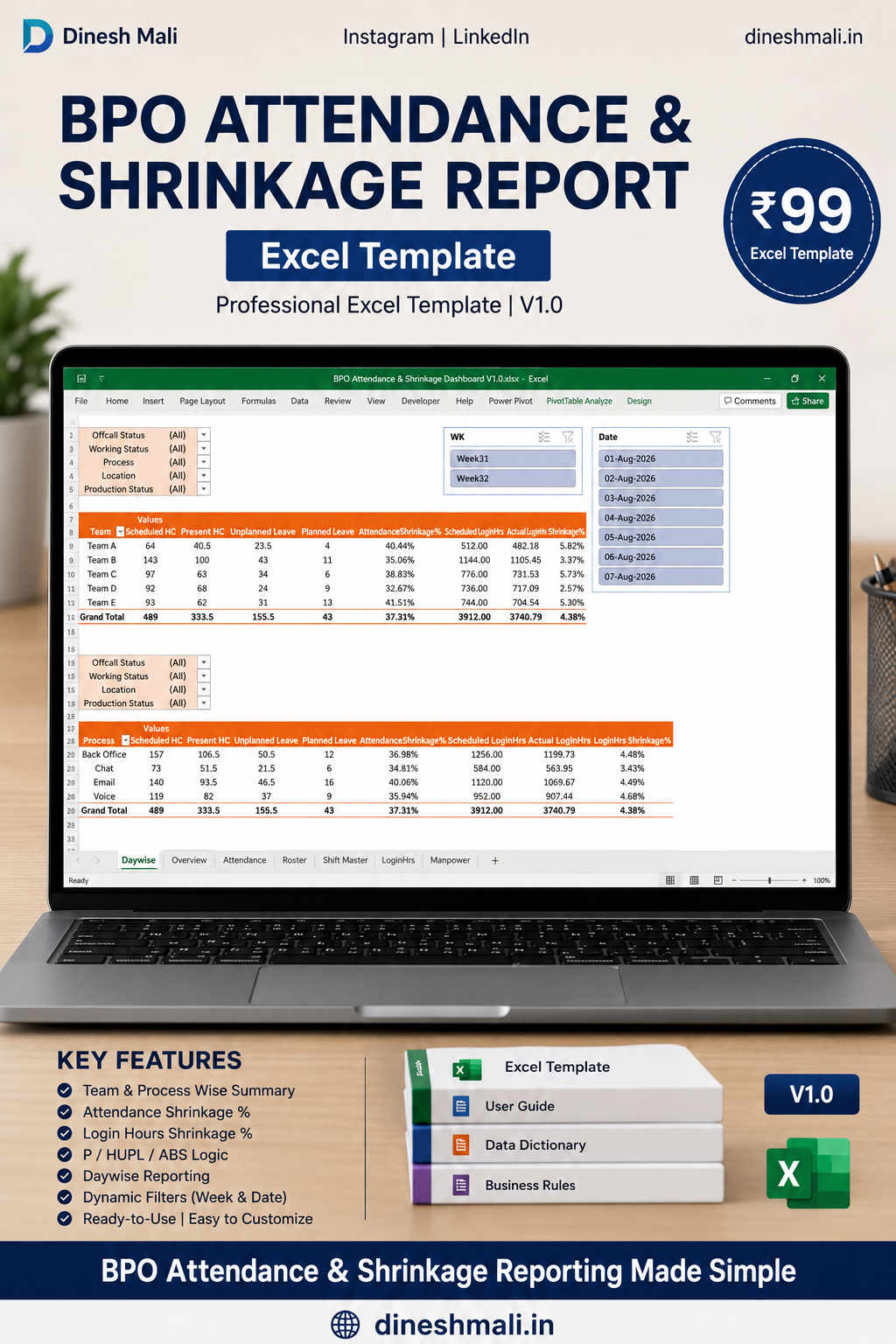
- Attendance Shrinkage %
- Login Hours Shrinkage %
Analysis
- Daily Attendance Analysis
- Team-wise Analysis
- Process-wise Analysis
- Attendance Status Analysis
⚙️ How It Works
The template follows a simple workflow:
1. Update Manpower
First update your employee master data.
2. Update Roster
Make sure every employee has the correct roster/shift/status for each reporting date.
3. Update Attendance
In the Attendance sheet, enter:
- Date
- Employee ID / Ecode
- Employee Name
Then fill the existing formulas down.
4. Upload Login Hours
Add your daily login-hours data including relevant staff time, breaks and downtime.
5. Get Final Attendance
The template calculates attendance based on the configured attendance rules and generates the final attendance status.
6. Analyze Shrinkage
Review Attendance Shrinkage and Login Hours Shrinkage through the reporting sheets.
🧮 Attendance Logic
For a rostered employee:
Present
Adjusted Net Login ≥ 8 hours
HUPL
Adjusted Net Login ≥ 4 hours and < 8 hours
ABS
Adjusted Net Login < 4 hours
The current template also supports the documented Coaching exception.
📈 Shrinkage Metrics
Attendance Shrinkage
Based on:
Unplanned FTE ÷ Scheduled FTE × 100
Login Hours Shrinkage
Based on:
(Scheduled Login Hours − Actual/Adjusted Login Hours) ÷ Scheduled Login Hours × 100
Shrinkage methodology can vary between BPO organizations and client policies. Users should validate the methodology against their own WFM/operations policy.
📦 What You’ll Get
Your purchase includes:
Excel Template
BPO Attendance & Shrinkage Dashboard V1.0
Documentation
- README
- User Guide
- Business Rules
- Data Dictionary
- Process Guide
- Input Controls
- QA Checklist
- Troubleshooting Guide
- Change Log
Legal Documentation
- License
- Disclaimer
Sample Data
Includes synthetic/demo employee data for understanding and testing the template.
💻 Requirements
- Microsoft Excel
- Windows recommended for the best experience
- Basic knowledge of Excel
- Ability to paste/update roster and login-hours data
No coding required.
👤 Who Is This For?
Perfect for:
- BPO MIS Analysts
- WFM Analysts
- Operations Managers
- Team Leaders
- Reporting Analysts
- Workforce Management Teams
- Small BPOs
- Excel-based reporting professionals
⚠️ Important Before Purchase
This is an Excel reporting template, not a standalone BPO/WFM software application.
You will need to provide your own:
- Employee data
- Roster data
- Login-hours data
The included employee data is synthetic/demo data.
Attendance and shrinkage rules may differ between organizations, so validate the methodology against your organization’s policies before using the report for official HR, payroll or client reporting.
🚀 Why Buy This Template?
Instead of creating the reporting structure from scratch:
Roster → Attendance → Login Hours → Attendance Engine → Shrinkage
you get a ready-made Excel framework that you can customize for your own reporting requirements.
Get the BPO Attendance & Shrinkage Excel Template
Only ₹99
Instant Digital Download